Article updated in February 2026 to reflect recent developments in Mexican passports and online document verification tools.
Verifying a person’s identity remains essential across many sectors to combat fraud and identity theft.
Passports are among the most widely used identification documents and incorporate multiple physical and digital security layers.
In 2026, it is now possible to perform an initial online verification using automatic MRZ reading, check-digit validation, and cross-checking of key information — even before any visual inspection.
How can you verify a Mexican passport online and ensure that the presented document is authentic? Find out in this updated guide.
Need more information on how to verify the authenticity of your ID documents ? Check out our comprehensive guide to verifying ID documents, which includes all the resources available !
Check 0: automatic online verification of the Mexican passport
Before any visual inspection of the document, it is now possible to carry out an initial automated online verification of the Mexican passport.
This step typically includes:
– automatic MRZ reading (passport / TD3 format)
– validation of check digits (passport number, date of birth, expiration date, global checksum)
– consistency checks of fields (name, date of birth, expiration, nationality, issuing country)
– detection of common input errors or inconsistencies
– generation of a timestamped PDF report
Some platforms such as TrustDocHub offer this type of automated verification, including MRZ reading, check-digit validation, and PDF report generation, directly from a web application.
This initial analysis does not replace a thorough visual inspection (UV elements, watermarks, security film, ghost image…), but it helps quickly rule out many cases of fraud or error.
Check 1: General Appearance to Verify a Mexican Passport
The first step to verify a Mexican passport online when you have access to the original document is its overall appearance: it must show no signs of cutting, peeling, or any modification/correction.
Pay close attention especially around the photo area.
Check 2: Read, Cross-check, and Verify Numbers and Information on Mexican Passports
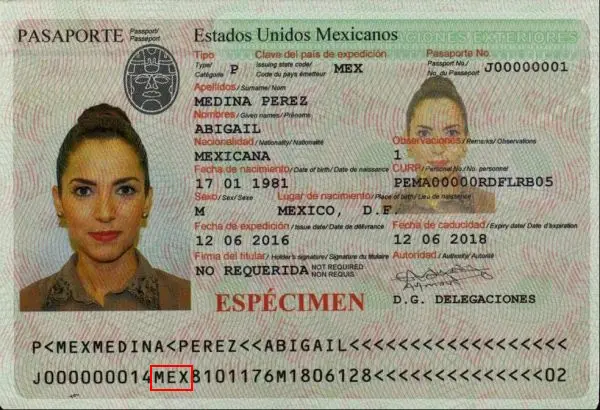
The second step in verifying a Mexican passport online is to ensure the consistency of the information on the document.
Tip: always verify consistency between printed fields and those encoded in the MRZ — this is one of the most reliable indicators for detecting alterations or forgery.
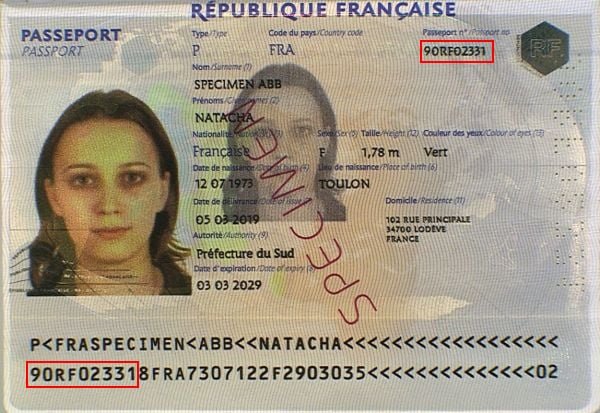
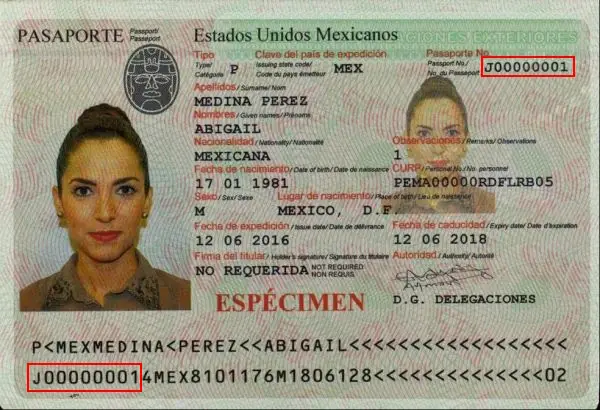
Document Number
The document number can be found in two different places: at the top right of the front side and at the beginning of the second line of the MRZ band.
Both must be identical:
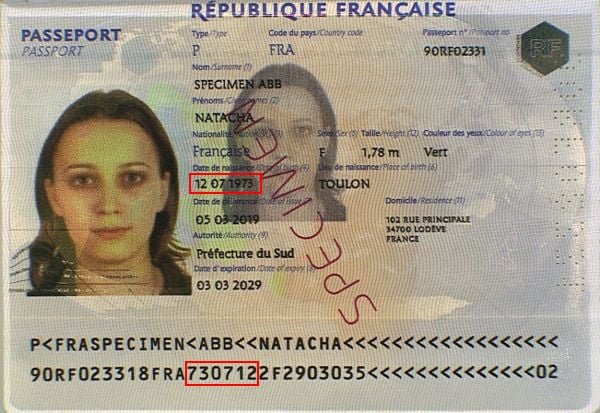
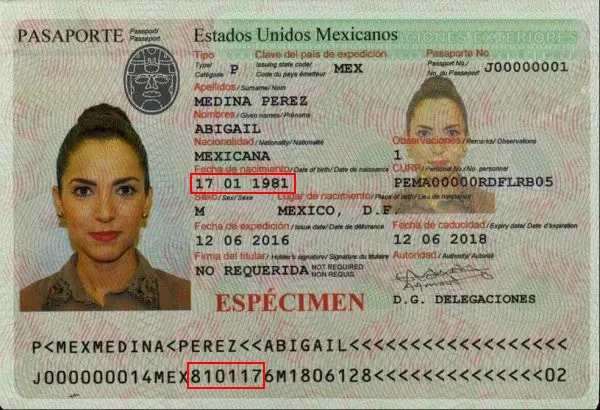
Date of Birth
The passport holder’s date of birth can also be found in two distinct places: in the middle of the front side and in the middle of the second MRZ line in YYMMDD format:
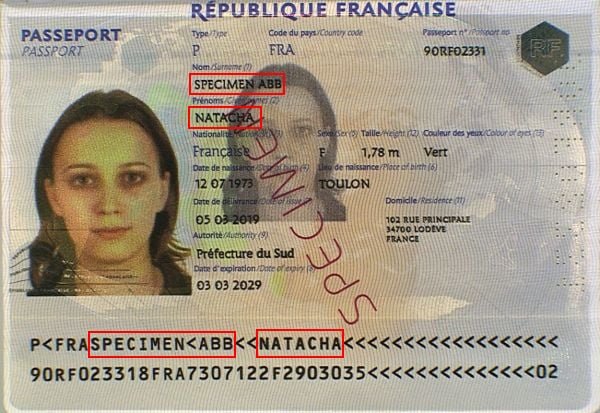
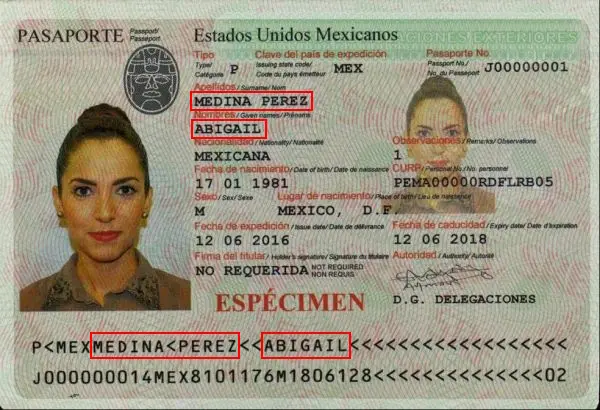
Last Name and First Name(s)
Similarly, the last name(s) and first name(s) can be found on the document and in the first line of the MRZ band:
Holder’s Gender
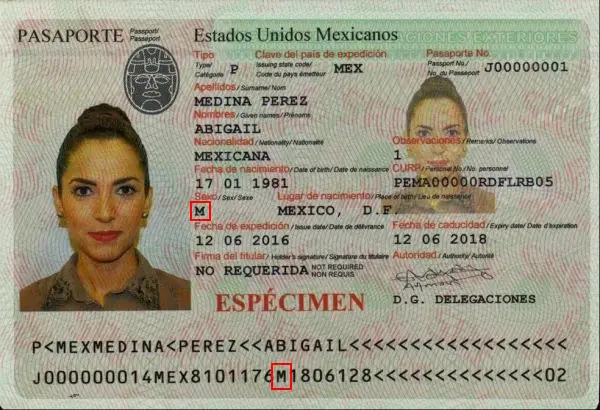
The holder’s gender is indicated by “M” for male and “F” for female. This information is found on the front side and in the second line of the MRZ band:
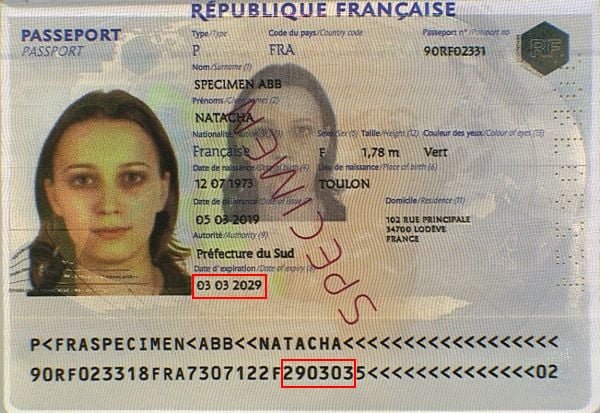
Document Expiration Date
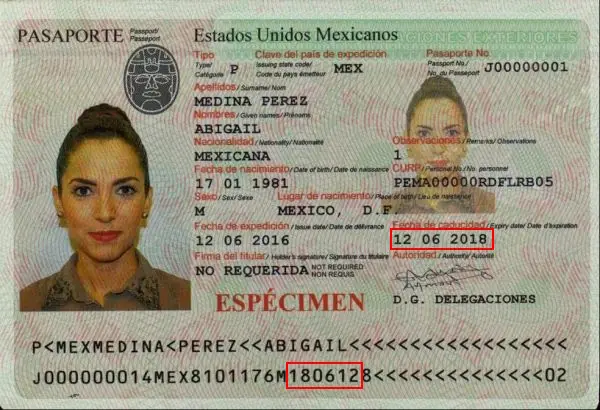
Another element present twice on the document is the expiration date, found on the front and in the second MRZ line in YYMMDD format:
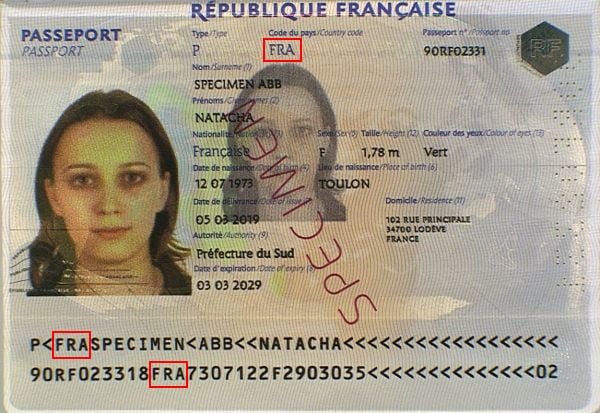
Issuing Country
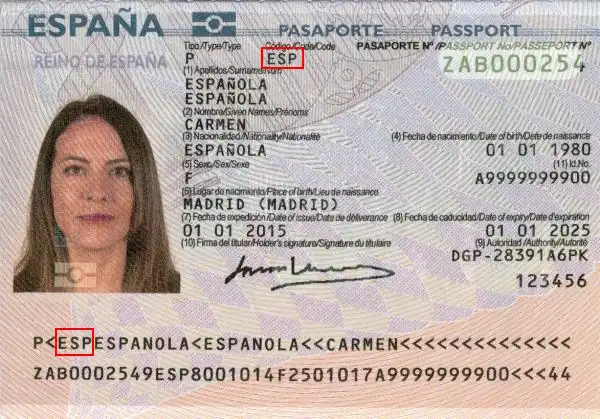
The issuing country can be found in two places on the document: at the top and at the beginning of the first MRZ line.
Nationality
The holder’s nationality can be found in the second MRZ line in ISO 3166-1 format:
Individuals, do you occasionally need to verify one or more identity documents ?
Professionals, do you need to integrate proof of identity validation into one of your business processes, including all European identity cards and global passports ?
Check 3: Verify a Mexican Passport Using its MRZ Band
The lower part of the Mexican passport consists of two lines that repeat the information present on the passport, with validation keys to prevent reading errors or forgery.
Structure of the Mexican Passport MRZ Band
First Line

- Document Type: 2 characters, code indicating the document type, represented by the letters “P<”.
- Issuing Country: 3 characters, the ISO 3166-1 alpha-3 code of the issuing country.
- Last Name(s): holder’s last name(s), separated by a “<” chevron.
- First Name(s): holder’s first name(s), separated from the last name by two chevrons, and separated among themselves by a “<” chevron.
Second Line

- Document Number: 9 characters, passport number found printed on the document.
- Check Digit: 1 character, check digit for the document number.
- Nationality: 3 characters, nationality of the holder.
- Date of Birth: 6 digits, date of birth of the passport holder in YYMMDD format.
- Check Digit: 1 character, check digit for the date of birth.
- Gender: 1 character, gender of the holder (“M” or “F”).
- Expiration Date: 6 digits, passport expiration date in YYMMDD format.
- Check Digit: 1 character, check digit for the concatenation of characters line 2 positions 44-54, 57-64, and 65-87.
Verify a Mexican Passport Using the MRZ Security Keys
A Mexican passport includes 5 check digits (or security keys) that validate the preceding information.
They help avoid transcription errors or intentional/unintentional modifications.
How Does the Algorithm Work?
The algorithm used to create and validate the check digits is common to all identity documents: characters have weights multiplied by factors depending on their position in the string (7, 3, and 1).
Digits have their face value (“0” is 0, “1” is 1, up to “9” which is 9), the chevron “<” has a value of 0, while letters have weights starting at 10 for “A”, 11 for “B”, up to 35 for “Z”.
Example
Let’s take the check digit for the date of birth from the specimen above as an example.
The character string to validate is: “810117”.
To calculate the check digit, we proceed as follows:
– “8” has a value of 8 and is in the first position, so multiply by 7: 8 * 7 = 56
– “1” has a value of 1 and is in the second position, multiply by 3: 1 * 3 = 3, add to previous 56 → 3 + 56 = 59.
– “0” has a value of 0 and is in the third position, multiply by 1: 0 * 1 = 0, add to 59 → 0 + 59 = 59.
– 1 * 7 = 7 and 7 + 59 = 66
– 1 * 3 = 3 and 3 + 66 = 69
– 7 * 1 = 7 and 7 + 69 = 76
The total is 76, from which we extract modulo 10 (the remainder of the division by 10), which means keeping only the last digit, i.e., “6”.
Our check digit is therefore valid since 6 appears on the document!
Check 4: Security Features to Verify the Authenticity of a Mexican Passport
An identity document includes various elements that help validate its authenticity.
This is the final step to verify a Mexican passport online, and also the most detailed: we will review the different security features present on the pages of the Mexican passport.
Inside Front Cover (Beginning of Passport Book)
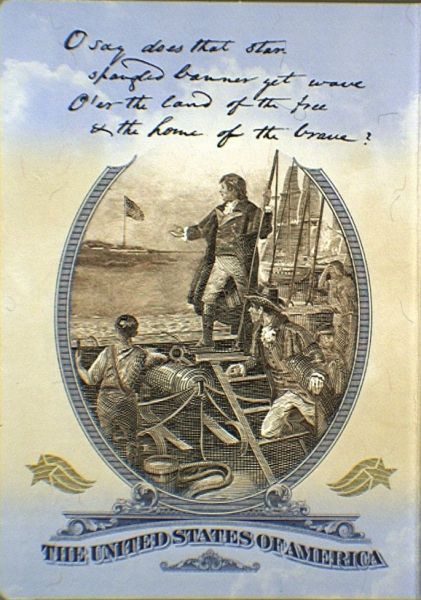
Fluorescent Overprint
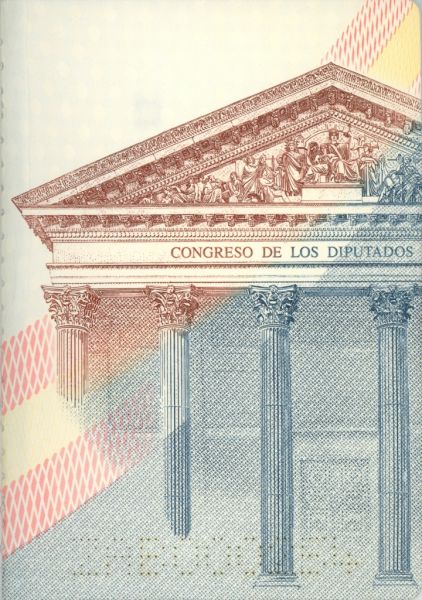
Inside Back Cover (End of Passport Book)
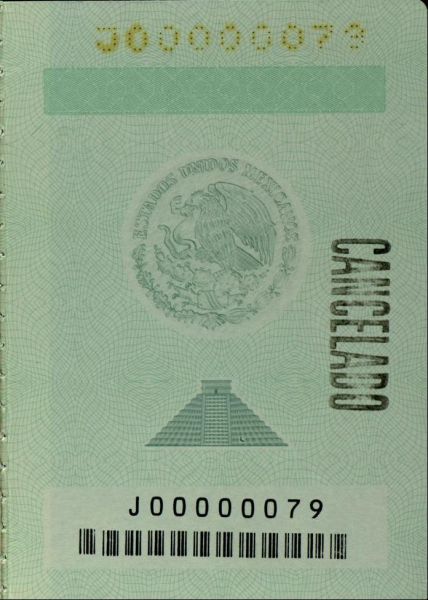
Fluorescent Overprint

Biographical Data Page
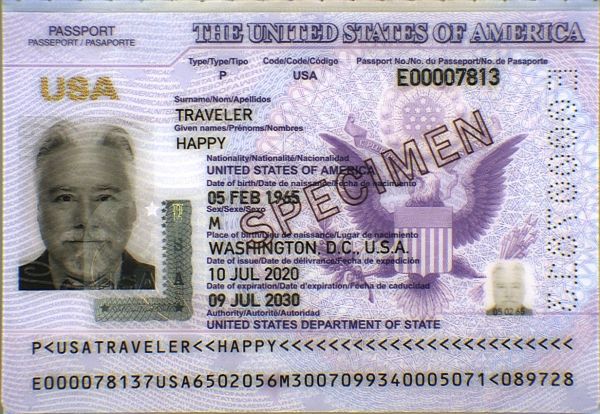
Watermark
Protects vital information (photo, MRZ); the laminate secures the photo and reveals any tampering attempts.
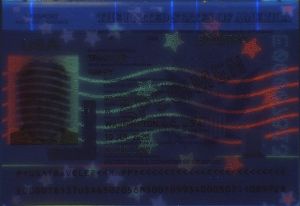
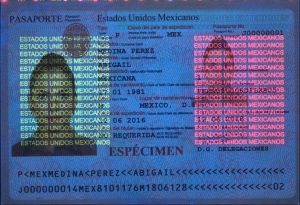
Ultraviolet Features
Security Laminate
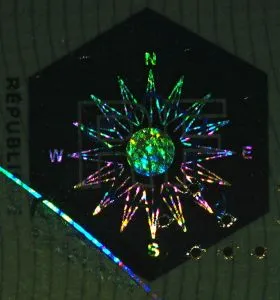
National pictograms & microtext visible under different angles.
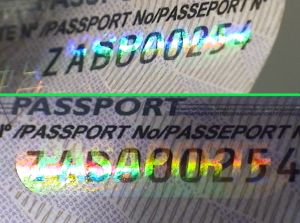
Ghost Image
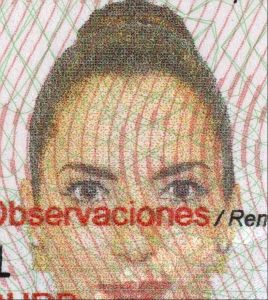
Inside Page 1
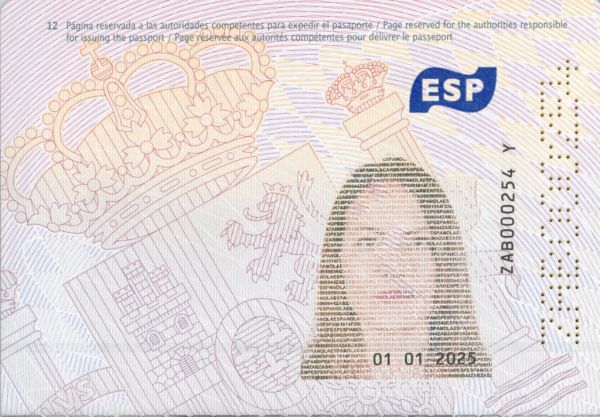
Watermark
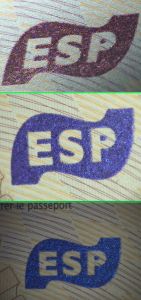
Fluorescent Overprint

Inside Page 2
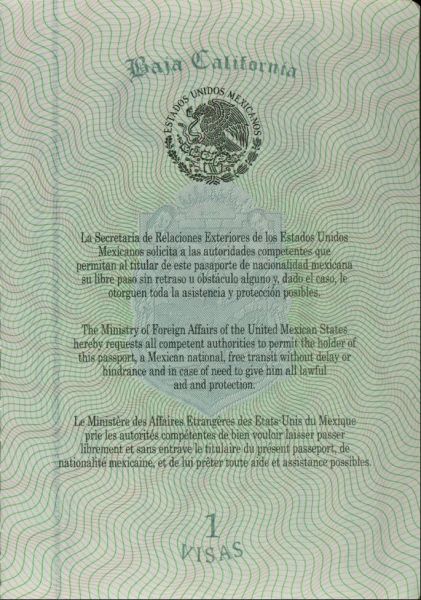
Fluorescent Overprint

Conclusion
You now have all the keys to verify a Mexican passport online and assess its authenticity.
No specialized equipment is required for an initial analysis: with a bit of vigilance and method, you can already detect a large proportion of common inconsistencies and errors.
To go further, you can also use an online document verification solution to automate these checks. For example, TrustDocHub allows you to verify a Mexican passport in just a few seconds from an image, with results available directly in the application and as a PDF report.
Individuals, do you occasionally need to verify one or more identity documents ?
Professionals, do you need to integrate proof of identity validation into one of your business processes, including all European identity cards and global passports ?